

Ready for a claim before you need one.
Proof is easiest to collect on the day you buy. The app keeps the receipt and the photo with the item.



Laptop
What is missing when you claim.
The receipt is long gone
Paper fades and emails get deleted; without it, price and date are only your word.
TV- Headphones
- Washing machine
Proof collected when you buy.
Snap it, then attach the receipt
A photo taken in the app is marked Verified; the receipt stays with the item.
See receipts and returnsSample store
Headphones
Gaps, before the bad day
With Owner or Household, the app flags items above a policy sub-limit to ask your insurer about.
See home coverageJewelry · Above the policy sub-limitBike · Above the policy sub-limitA claim kit, ready when asked
Say what happened, and the app builds a PDF from the proof your items already hold.
See the claim kit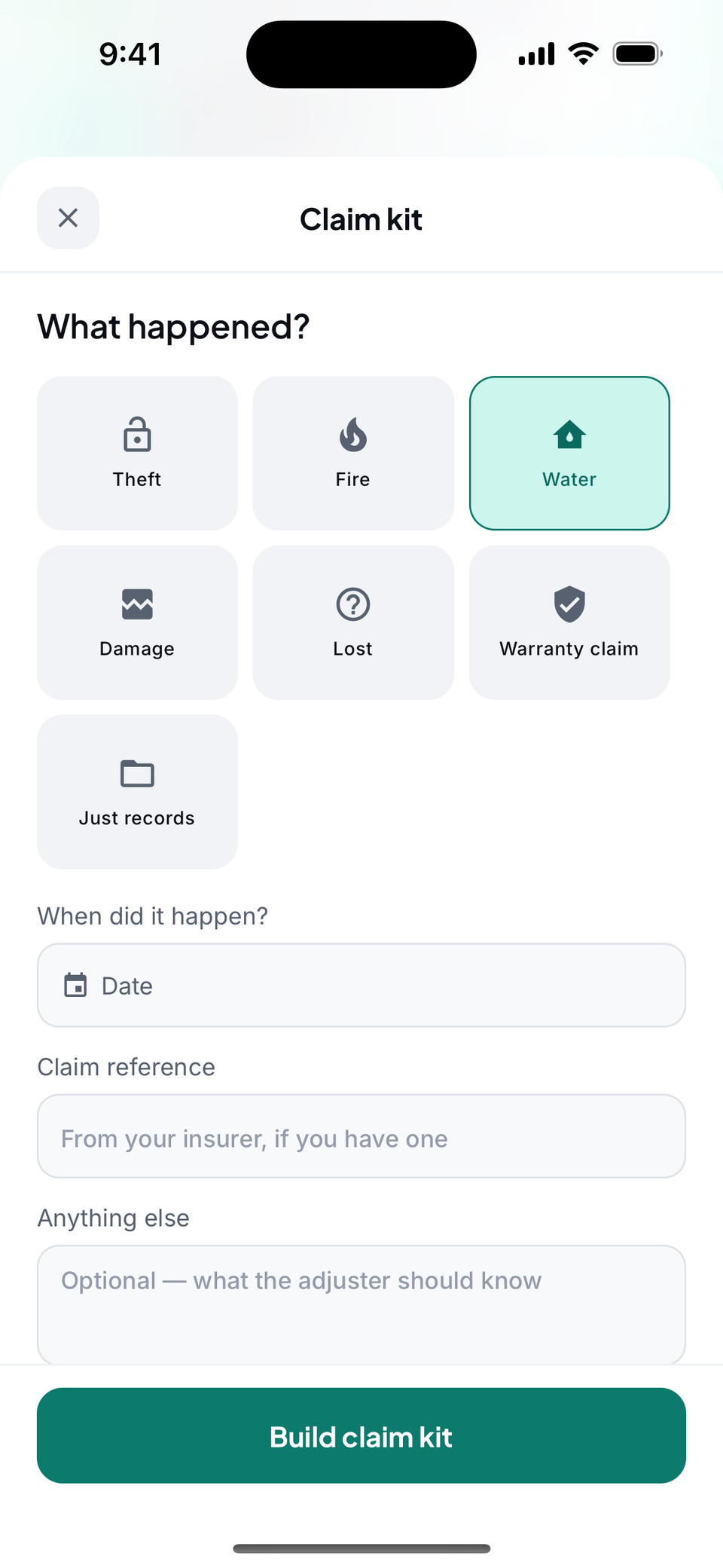 Claim kit

One kit with the proof inside.
An incident-first PDF: what happened, then each item with its photos and receipt.
Claim kit
Water damage
- TV
- Laptop
- Headphones
Start with the most valuable thing you own.
Add one item with its receipt and a photo to see its claim kit.
Apartment